Attendance without long paper sheets
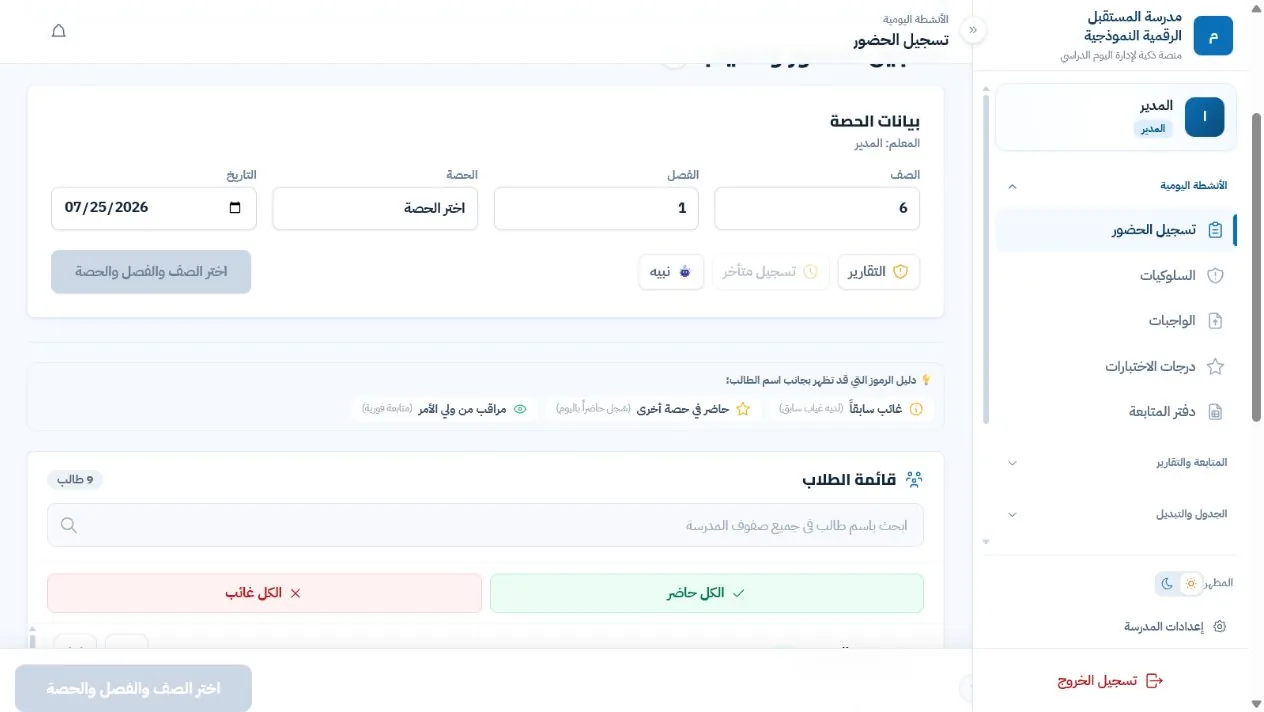
Treat the class as present, then record only absences or lateness. The record stays tied to the grade, class, period and date.
Digital School Portal — attendance, behaviour and reports in one place
Teachers record attendance and behaviour during the period, administrators see what is done and what is still outstanding, and parents follow their child from an account the school issues. All of it in one platform, without complexity and without information getting lost between places.
Already have an account? Sign in The demo uses sample data only, and school registration requests are reviewed before activation.
What changes in the school day?
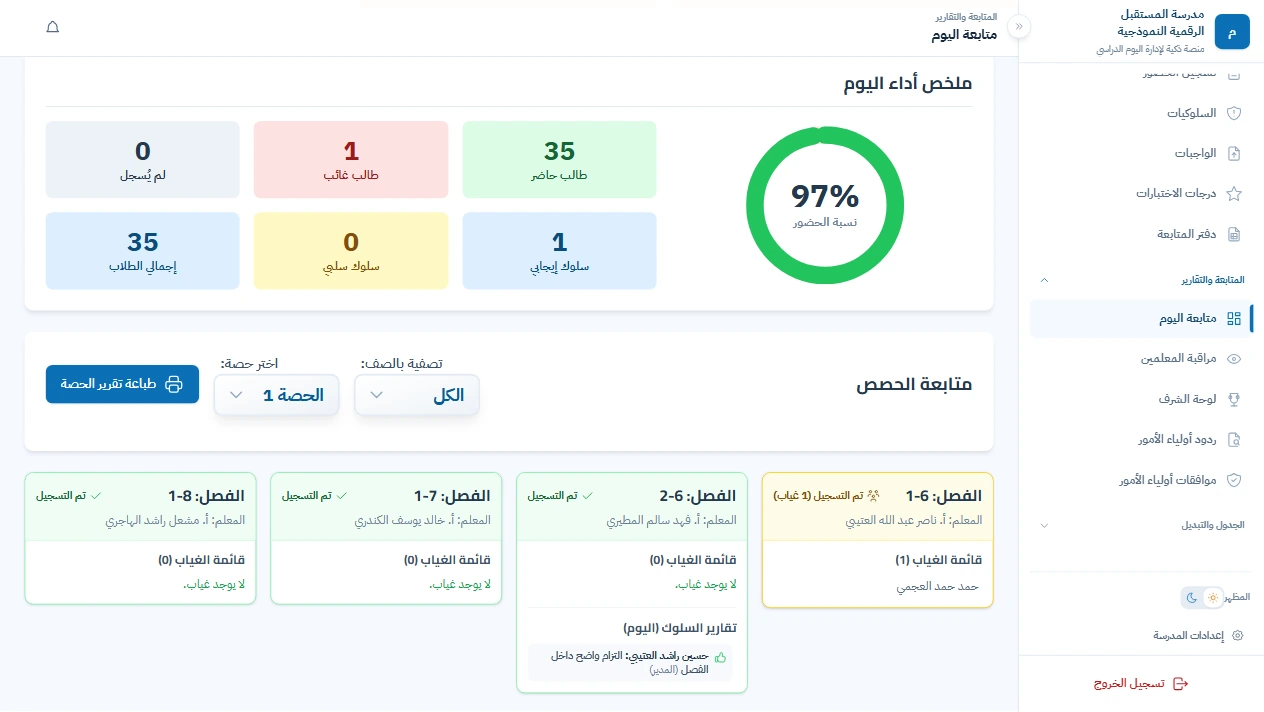
Instead of starting the day with the questions: who recorded? who is late? where is the sheet? who sent it in the group? — the picture is ready. Attendance, behaviour, recorded periods and the cases that need follow-up all live in a single record that updates during the school day.
Treat the class as present, then record only absences or lateness. The record stays tied to the grade, class, period and date.
Administrators see which periods were recorded and which are late, and which cases need review — during the school day, not after everyone has left.
Once the app is installed, a parent receives a notification for an absence or a behaviour report. No group chat and no phone call from the school.
Attendance sheets, behaviour records and student files are ready to print or export, after the data is reviewed before any official copy is issued.
A workspace for every role
Teachers record from their period, administrators follow up from their desk, and parents check from their account. Each person opens their own view and sees only what concerns them.
01For teachers
A teacher opens the schedule and enters the period. They can treat the class as present and record only absences or lateness. From the same screen they add a behaviour note to the student file, and in the follow-up notebook they define the columns for their subject — participation, homework or short quizzes — as their department approves.
 Demo interface
02For administrators
You do not need to be everywhere. Open the school dashboard and what has been recorded reaches you as it happens: who attended, who was absent, which periods were recorded and which class is still waiting. If a case deserves attention you know about it then — not at the end of the day. Every class has a card showing period completion, who recorded it and the absence list. The picture reflects what has been entered up to the moment you open it; it is not a substitute for reviewing the record.
Demo interface
03Behaviour follow-up
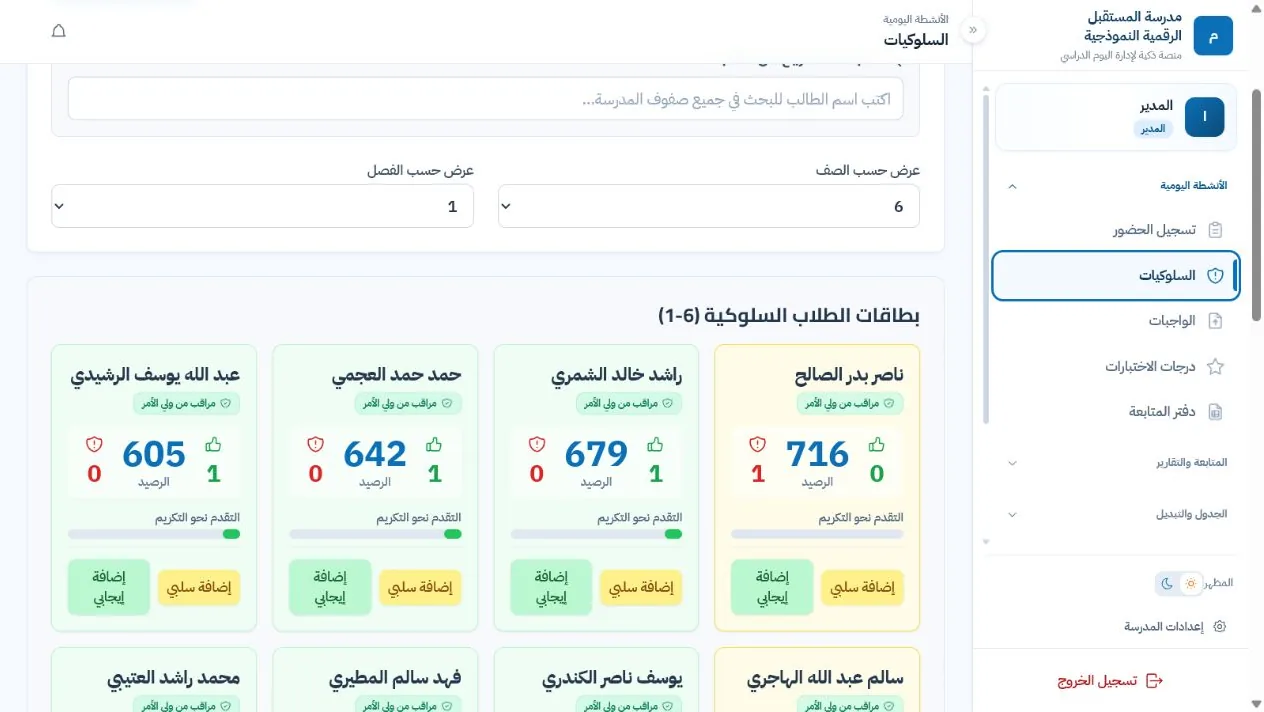
Positive and negative reports are stored on the student file with their date and type. If a pattern repeats, administrators see it clearly and act from a documented record — not from memory.
 Demo interface
04For parents
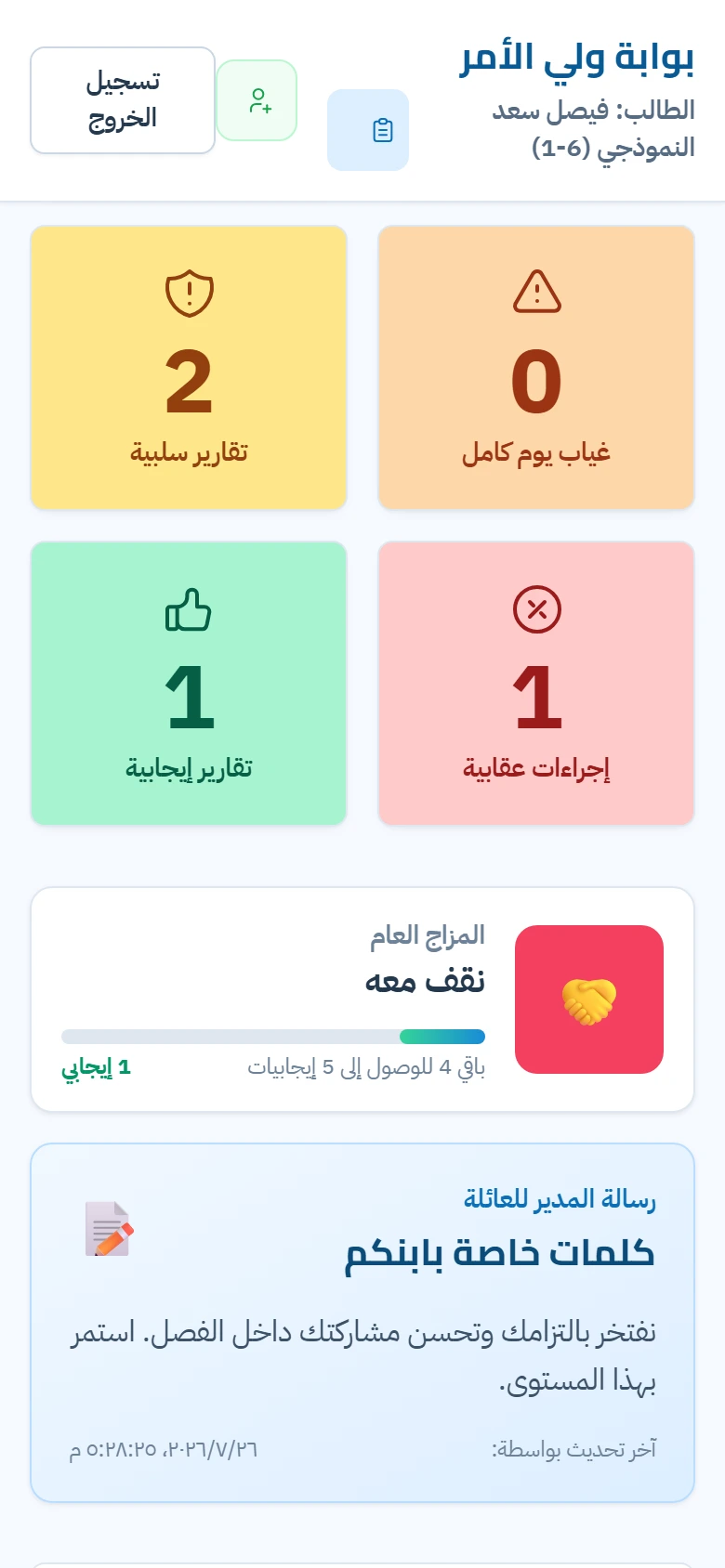
From their account they see their children's attendance, and the notifications and reports the school allows, and they can link more than one child to a single account. The school issues the access code, and the device can be locked with a PIN. The information reaches them clearly, without group chats and without asking every time.
 A real screen from the demo
Feature overview
Record attendance tied to grade, class, period and date. Treat the class as present and record only the exceptions, with a daily dashboard for administrators and a parent notification when enabled.
Positive and negative notes go to the student file with their date and type, an honour board highlights distinction, and defined administrative measures stay inside administrator permissions.
Parents sign in with a code the school issues, can link more than one child, and see only what the school allows, with notifications once the app is installed.
Attendance, absence, behaviour and student-file reports with printing and export options, plus a formal A4 absence sheet that follows the school's language.
Invite teachers, review join requests, connect them to departments and classes, and grant the permissions their real work requires — with a clear account state.
Weekly teacher schedules, period swaps, the school calendar, duties and the end-of-year closeout path with verification gates before any clean-up.
Security and privacy
Every read and write is tied to the school identifier and the user's role, with additional verification on sensitive paths.
A teacher sees their classes, a parent sees their children, and administrators follow only their own school.
Browsing runs over HTTPS, and access tokens and sensitive operations are handled on the server rather than in the browser.
A backup policy with status monitoring, and a safe path to close and archive the academic year — with restores tested regularly.
A platform for running and monitoring school operations: students, period attendance, behaviour, reports, schedules and a parent portal — according to the school's settings and each user's permissions.
Yes. The demo shows the administrator experience or the parent portal with sample data, without entering real data.
No. The portal is an independent software product, not affiliated with any ministry of education or government authority.
Yes, from a modern browser on desktop, phone and tablet, and it can be installed as an app on supported devices.
Student records never appear on public pages. Access requires authentication and a permission tied to the role and the school, with extra controls on sensitive paths.
The school sends a request from the registration form. The request is reviewed, and the school or its sign-in details are not created before approval.
Contact and registration